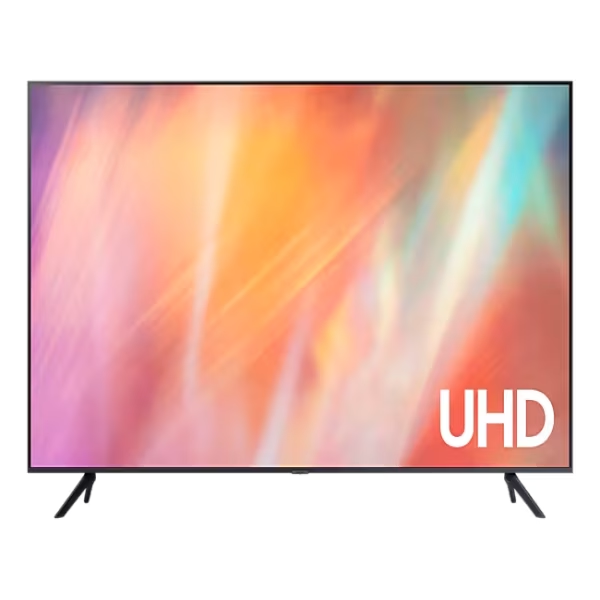
Features
The Best-in-class, crystal clear choice

Key features at a glance

Picture Quality- Feel virtually every shade of colour as intended in powerful 4K
Crystal Processor 4K
Feel virtually every shade of colour as intended. Powerful 4K upscaling ensures you get up to 4K resolution for the content you love.*

A Samsung Crystal UHD Processor 4K chip is laid out on a TV's main board with glowing power lines.
* Viewing experience may vary according to types of content and format. Upscaling may not apply to PC connection and Game Mode.
Feel the reality of the world on screen 4K Resolution
Make out the small details in virtually every scene. 4K UHD resolution has 4x more pixels than regular FHD resolution — creating sharp, ultra-realistic images.*


* "4x more pixels" refers to a comparison between 4K UHD (3840 x 2160) and Full HD (1920 x 1080) resolutions.
Picture Quality

Enhanced contrast with rich darkness and brilliant light- HDR
High Dynamic Range helps increase the ratio between the lightest and darkest areas on screen. This brings out a wide spectrum of colours and brilliant contrast for all the visual details.

Watch your favourite content in up to 4K
4K Upscaling
Powerful 4K upscaling ensures you get up to 4K resolutionto help it look its best.*
* Picture quality of upscaled content will vary depending on the quality and resolution of source content and may not apply to PC connection and Game Mode.

Fine-tuned colours for a vibrant, lifelike picture- PurColour
Experience rich images that come to life with a huge range of colours. From vivid documentaries to vibrant animated worlds, your viewing experience will be anything but dull.
See images come to life Contrast Enhancer
Contrast Enhancer can help bring flat images to life by adjusting the contrast, offering outstanding pictures with amazing depth.
ftd16_interactive multi feature-product detail-indicatorftd16_interactive multi feature-product detail-indicatorftd16_interactive multi feature-product detail-indicatorftd16_interactive multi feature-product detail-indicator
An elegant metal design that upgrades your space
MetalStream Design
Inspired by aircraft design, the MetalStream Design features a luxurious metal body. With no additional bezel required, a single sheet of metal is used to create a slim bezel, enabling a truly immersive experience.

One UI Tizen- Personalise your screen experience
Explore endless entertainment with your favourite apps in one place. With automated content curation you can spend less time searching and more time streaming the movies, games and shows you love.* Your experience is also secured by Samsung Knox across SmartThings devices. Plus, One UI Tizen will support Tizen OS upgrades for the next 7 years.*

* Internet connection and Samsung Account required. Data and subscription charges may apply. Apps and UI may be subject to change without notice. Agreement of the Smart Hub Terms and Conditions and Privacy Policy is required before use. Kayo & BINGE not available for use in Very Remote regions of Australia.
* Tizen OS upgrades will be provided for 7 years, starting from release year 2025.
Enjoy 7 years of new TV experiences


* Content and services may vary by region and are subject to change without notice.
* Agreement to Smart Hub Terms and Conditions and Privacy Policy is required before use.
* Some content and services require registration and subscription.
* Requires Samsung account.
* Tizen OS upgrades will be supported for 7 years starting from 2025, for products released in the year 2025.
* Please note that the upgrade does not cover hardware-related performance, features or durability.
Access 300+ free channels* including Samsung TV Plus^ channels
Endless Free Content
Enjoy news, sports, movies, entertainment, music, kids’ shows and more. With new content continuously added, there’s always more to explore!


Array of screens showing various content. Aerial shot reveals more screens and vast amount of content available. Endless Free Content. Other screens appear. Experience, smart, beyond. Screens move to the side as if scrolled through. TV show, sports, movie, drama, music. Upscale Your Entertainment.
* Channel number counts including Samsung TV Plus and Plex (third party app) are current as of January 2025. Internet connection and Samsung account required.
^Samsung TV Plus is a free-ad supported Smart TV video service. Internet connection required and data usage fees may apply. Requires Samsung account. Downloading apps, signing up, and logging in may be required to access channels provided by third-parties.
Free TV channels, with 100+ additional channels- Samsung TV Plus
No need to pay for another subscription, enjoy free live streaming TV with Samsung TV Plus.* Choose from a variety of channels offering news, sports, entertainment and more. All you need is an Internet connection.


* Ad-supported streaming service with content subject to change without notice.
Your privacy. Secured. On Samsung TVs.
Samsung Knox Security
Feel at ease with a multi layered security solution which helps to shield your data. Even Home IoT devices connected to your Samsung TV are secured. Regular updates further fortify your TV, helping to protect it from harmful attacks.*

* Samsung Knox applies to Samsung TVs powered by Tizen, launched since 2015. Security software update is guaranteed for at least three years from TV product launch. Latest TV software update is required. Evaluated by IT Security and Certification Center, Republic of Korea (Feb 2023, 2024) using the Common Methodology for IT Security Evaluation, Version 3.1 R5 for conformance to the common criteria. Certification No: KECS-CISS-1291-2024.
Gaming Experience- Easily discover and access your games from one screen
Gaming Hub
Save time and speed up the game selection process.* Stream over 100 blockbuster games with Xbox Game Pass or access other cloud gaming services – no downloads and console required.** Plus, find your console gaming and standalone apps like YouTube, Spotify, Twitch & Discord all in one place.*
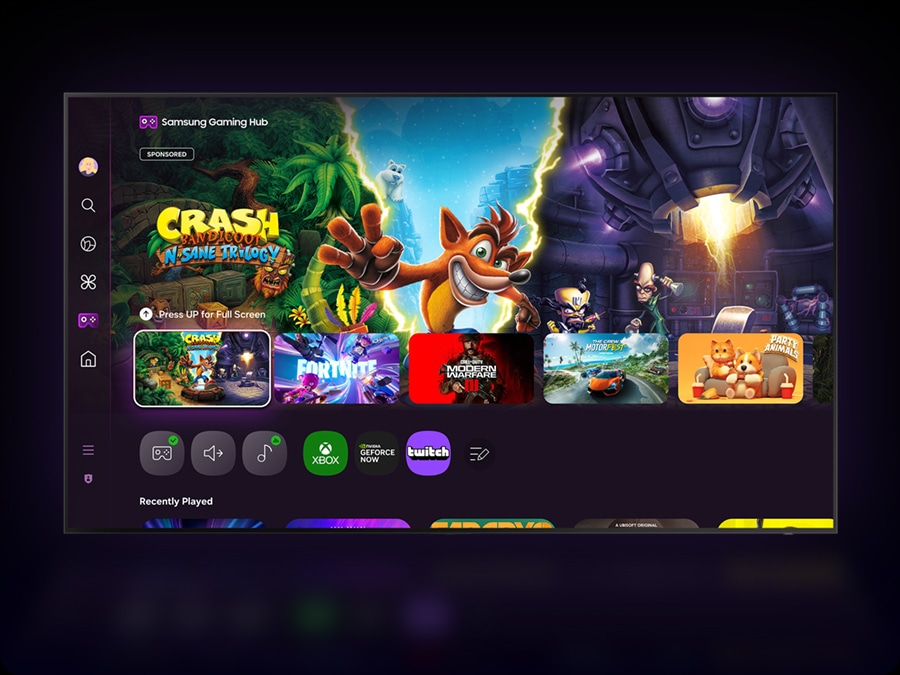


* A controller may be required depending on the specific game being played on the Gaming Hub.
Internet connection, additional gaming service subscriptions and third party apps (depending on game or service) may be required. Content services are subject to change without notice. Requires Samsung Account.
** Xbox Game Pass Ultimate subscription and compatible controller required. Fees apply.
Experience picture clarity with smooth motions- Motion Xcelerator
Experience clear picture as Motion Xcelerator automatically estimates the motion information between frames and then uses it to predict the subsequent frames in a manner that improves the smoothness of motion.*
* Compared to Samsung TV without Motion Xcelerator. Requires compatible gaming PC supporting 4K resolution, 50Hz motion rate and Variable Refresh Rate. Picture quality will vary depending on quality and resolution of source content.

Smart Experience- Connect and manage your smart home devices, all from your TV
SmartThings
Control your compatible Samsung and third-party devices through your Samsung smart TV. Monitor your electricity usage, control your lighting, be notified when your washing is finished, or view your home cameras from your couch. Designed to make your life easier, more secure, and more connected.*

TV in living room shows SmartThings screen. SmartThings and Matter logos. Icons appear over the connected devices. Zoom in on TV shows SmartThings in different rooms. Focus on light’s status. It goes from Off to On. Blind goes from Off to Opened. Zoom out to show TV displaying smart home info.


Daily management for your favourite activities-Samsung Daily+
Easily manage your daily activities from your TV. Access apps and services such as Workspace where you can work from the big screen by connecting your compatible PC, mobile or laptop and the Workout Tracker where you can get fit with your real-time exercise data on screen during your home workout.*
* Content, services and app availability may vary by region and are subject to change without notice.
* Workspace HQ is compatible with certain PC and mobile devices. Easy Connection app requires Windows 10 OS. Samsung DeX is supported on selected Galaxy, Note, and Tab devices running Android 6.0 ↑. Requires a compatible keyboard, mouse and Samsung account. Workout Tracker available from March 2024 on Galaxy Watch 4 ↑ Requires Samsung account.

Control your TV from your mobile phone- Quick Remote
Through your SmartThings mobile app you can access key Samsung Tizen TV features such as media, features, ambient mode and menu. Quick Remote can also act as your TV remote allowing you to change channels, adjust the volume, and much more right from your phone.*
* Push notifications for mobile remotes for TVs are available on (Mobile) Android OS 10.0 and higher versions with (TV) 2020 Samsung TVs and later models, and operates when the mobile device is near the TV.
* Samsung Smart TV feature access is available on (TV) 2024 Samsung TVs and later models with (Mobile) Android OS 10.0 and higher versions or iOS 15.0 and higher versions.

Easily multitask across screens- Multi Control
Use your mouse to move content across screens, or a single keyboard to type on multiple devices. Your TV can connect with smart monitors and Galaxy devices into a unified experience — controlled by the same mouse, touchpad or keyboard. Thanks to Samsung's seamless ecosystem, you can easily stay connected and redefine your everyday life.*
* Each device must be registered with a single Samsung account and be connected to the same Wi-Fi network.
* Multi Control requires updated Galaxy phones and tablets with One UI 5.1.1 or above, and Galaxy Book series devices released in 2021 or later with Samsung Settings v1.5 (Intel) or Samsung Settings v3.3 (ARM), and TVs and smart monitors from 2024 or later.
* Some functions (such as Copy & Paste or Drag & Drop) may not be available when using certain device models and apps.
Gesture to control with your watch- Universal Gestures
Easily control your TV with your smartwatch. Just wear your Galaxy Watch* and use hand gestures, like pinching to select an option, or moving your wrist back and forth for pause and play.
* Universal Gesture supports Galaxy Watch 4 and higher / Wear OS 5 and higher.
Take your home workout sessions to another level- Workout Tracker
Track real-time exercise data while watching your favorite shows. Your TV can display feedback from your exercise devices and play content on a single screen during your home workout sessions.*
* Supported devices are Galaxy Watch 4 ↑with Galaxy Mobile (One UI 4.1.1 and above) with latest software version. Devices must be logged into the same Samsung account.Next
ftd16_interactive multi feature-product detail-indicatorftd16_interactive multi feature-product detail-indicatorftd16_interactive multi feature-product detail-indicatorftd16_interactive multi feature-product detail-indicatorftd16_interactive multi feature-product detail-indicator
Sound- Synchronised sound from your TV and Soundbar*
Q-Symphony
Immerse yourself in sound from both your Samsung TV and Soundbar* orchestrated in harmony. Q-Symphony allows the speakers in your TV and compatible Samsung Soundbar to work simultaneously for a true surround sound effect without muting the TV speakers.

A TV shows a concert scene. When Q-Symphony is off, the soundbar under the TV plays audio by itself, giving off small sound waves. When Q-Symphony is on, the TV and soundbar play audio together, with both giving off large sound waves in sync.
* Q-Symphony is available only with compatible 2022 Q-Series and S-Series Soundbars and onwards. Soundbar sold separately. Audio effects may vary based on source content, installation and environmental characteristics.
Virtual sound that tracks the action
Object Tracking Sound Lite
Create a surround sound experience with virtual top-channel audio that follows the action so that you can be immersed in the audio.*
* The quality of sound effects may vary depending on the source content, installation and environmental characteristics.

A TV depicts a scene of a train passing by a scenic outdoor location. As it does, sound waves appear near where the train touches the tracks, indicating the noise within the scene.
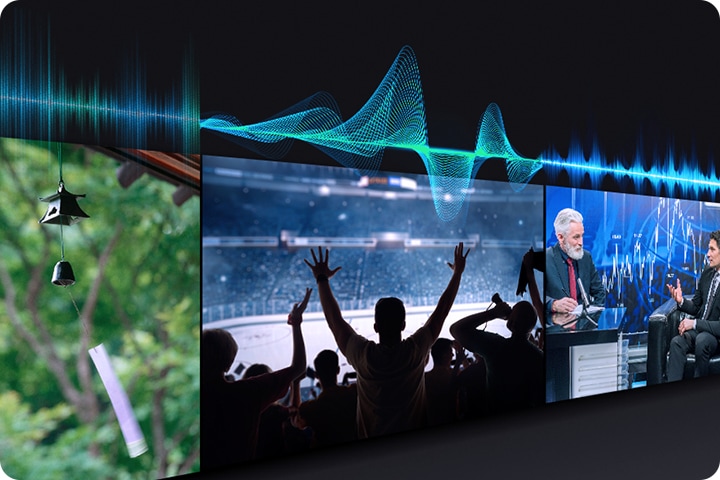
Sound that adjusts to your surroundings & content
Adaptive Sound
Adaptive Sound ensures you rarely miss a word by adjusting the volume of dialogue based on real time scene analysis by content type.*
* Performance may vary depending on installation environment and surroundings.
Sustainability

Monitor energy consumption- AI Energy Mode
Easily monitor your power consumption by activating AI Energy Mode. This feature automatically detects and analyses surrounding light levels and usage behaviours to adjust the brightness if required.
* The SmartThings app is required to utilise AI Energy Mode. Energy saving rate may vary according to regions, models, sizes, viewing conditions or types of content. Products shipped in Eco Mode have some AI Energy Mode functions enabled by default, so energy saving level by turning on AI Energy Mode may appear lower than actual. AI Energy Mode does not support Game Mode, Intelligent Mode, Art Mode, Screen Mirroring, Ambient Mode or Retail Mode. Energy savings are based on internal test results and may vary depending on content being displayed and surrounding brightness levels.

Control multiple devices with a remote charged by sunlight and indoor lighting
SolarCell Remote
Keep your coffee table clutter-free with Samsung’s SolarCell One Remote for easy control of your compatible devices.* Powered by sunlight and indoor lighting, you'll never need disposable batteries again.**
** To charge the remote using solar energy, place the TV remote down with the solar panel facing up. It can be positioned in your living room while the lights are turned on, or near a window to absorb natural sunlight. Alternatively, you can charge it using a USB-C cable. To check the remaining the battery level of the remote control, refer to the settings on your TV Menu.Next
ftd16_interactive multi feature-product detail-indicatorftd16_interactive multi feature-product detail-indicator
Live & On Demand TV for free- Freeview
Watch, Search & Discover 30+ Channels of Live & On Demand TV. All in the one place. All for FREE! No charges, fees or contracts. Access free Movies, Drama, Sport, Family entertainment & more from Australian free-to-air channels ABC, SBS, 7, 9 & 10 using your Samsung TV remote.* Freeview.com.au↗

* Freeview uses HbbTV technology which combines broadcast and broadband. Internet connection is required. Data usage charges and conditions apply. Available programs are subject to change without notice.

 RANCON
 Sharp
Sharp
 LG
LG
 Bosch
Bosch
 Samsung
 Toshiba
 Hitachi
 Midea
Midea
 Whirlpool
 Hisense
 Haier
Haier
 Oraimo
 Toshin Rancon
 Kemei
Kemei
 VGR
VGR
 Gazi
Gazi
 Miyako
 Philips
 Panasonic
 Pureit
 Rahimafrooz
 De'Longhi
 Rizco
Rizco
 Super Star
 Realme
 Sony
Sony
 RedSwiss
 Tesy
Tesy
 Qulik
Qulik
 Atomberg
 Amazfit
 Anker
Anker
 Apple
Apple
 Havells
 Haylou
 JBL
JBL
 Kieslect
 OnePlus
 Wiwu
Wiwu
 Xiaomi
 ACEFAST
 EarFun
 Tecno
Tecno
 TOZO
TOZO
 Tribit
 Livpure
 W-KING
 Pigeon
 FONENG
 Kospet
 ECOFLOW
 VIVO
VIVO
 Tefal
Tefal
 Oppo
Oppo
 LUMINOUS
 PAK FAN
 Recci
Recci
 Nothing
 Hoco
Hoco
 Hindware
 CARON
CARON
 Orient
 MIRA
MIRA
 TQIU
TQIU
 UGREEN
 YAMAHA